Memorybot Memory Puzzle Game
Review
Memorybot delivers a polished memory matching experience with lovely card art and flexible difficulty settings. The game tracks your time and moves, encouraging repeated play to beat personal records. It runs smoothly on both desktop and mobile, making it easy to enjoy anywhere. The lack of ads or registration keeps the focus on fun and brain training. A solid choice for casual puzzle fans.
Full story
Game Introduction
Memorybot is an online memory puzzle game that challenges players to test and improve their recall abilities. The core objective is to flip over cards, find matching pairs, and clear the board as quickly as possible. Designed for players of all ages, this game offers a relaxing yet engaging brain workout. Its simple concept and charming card illustrations make it a delightful choice for quick breaks or longer play sessions. Memorybot runs directly in the browser with no downloads required, and it is fully optimized for both desktop and mobile devices.
How to Play
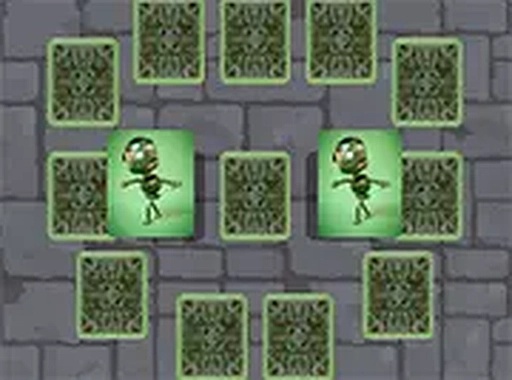
Playing Memorybot is straightforward. At the start, players typically select the number of cards they want to use, with options ranging from a small set for beginners to a larger grid for a greater challenge. All cards are placed face down on the board. Players then click or tap on a card to flip it over and reveal its illustration. Next, they choose another card to flip. If the two cards match, they remain face up, and the player earns points. If they do not match, both cards flip back over after a short moment. The goal is to match all pairs as quickly as possible. The game tracks time and number of moves, encouraging players to improve with each round.
Game Features
Memorybot includes classic memory matching gameplay with beautifully illustrated cards. It offers adjustable difficulty by allowing players to choose from small to large card sets. The game is fully responsive, supporting both mouse and touch controls for desktop and mobile devices. It also tracks time and moves to help players monitor their progress. No downloads or registration are required, and a full-screen mode may be available for a more immersive experience.
Tips for Success
To improve your performance in Memorybot, practice regularly to sharpen your recall skills. Start with smaller card sets to build confidence before moving to larger grids. Try to remember the positions of cards you have already flipped, and use a systematic approach to uncover pairs. Minimizing unnecessary moves can help you achieve a better score. Staying calm and focused will also enhance your concentration, making it easier to match pairs quickly.